
Open Field
A wide grass plain and a race course of MultiGP-style gates, hoops and ladders. Sun, rain and snow follow each other; the ground goes wet, snow settles, the wind turns.
Flight physics built from real drone data, your own Betaflight rates, your own radio. Open a tab, arm, fly.
Free — nothing to install. Plug in your radio or fly on the keyboard.
01 // Flight physics
The quad is simulated with its real weight, motor KV, prop size and stock PIDs. Type in your rate profile straight from Betaflight and the sticks answer the way yours do.
The quad flies on its stock PID set, so it answers on the same logic as the one on your bench.
Prop wash, wind and camera shake are yours to switch on, switch off or dial in from the settings.
Gates, columns and stands are collision bodies: clip one, bounce, go down — then flip yourself back over with turtle mode.
02 // Maps
Venues built to real scale. Every gate, every column is a collision body.
A wide grass plain and a race course of MultiGP-style gates, hoops and ladders. Sun, rain and snow follow each other; the ground goes wet, snow settles, the wind turns.
An abandoned industrial plant: a 144 m uninterrupted hall, collapsed sawtooth roof, bare truss ribs and a 28 m dive shaft. The eleven roof openings are sized for powerloops; a silo cluster, conveyor gallery and cooling tower complete the outdoor line.
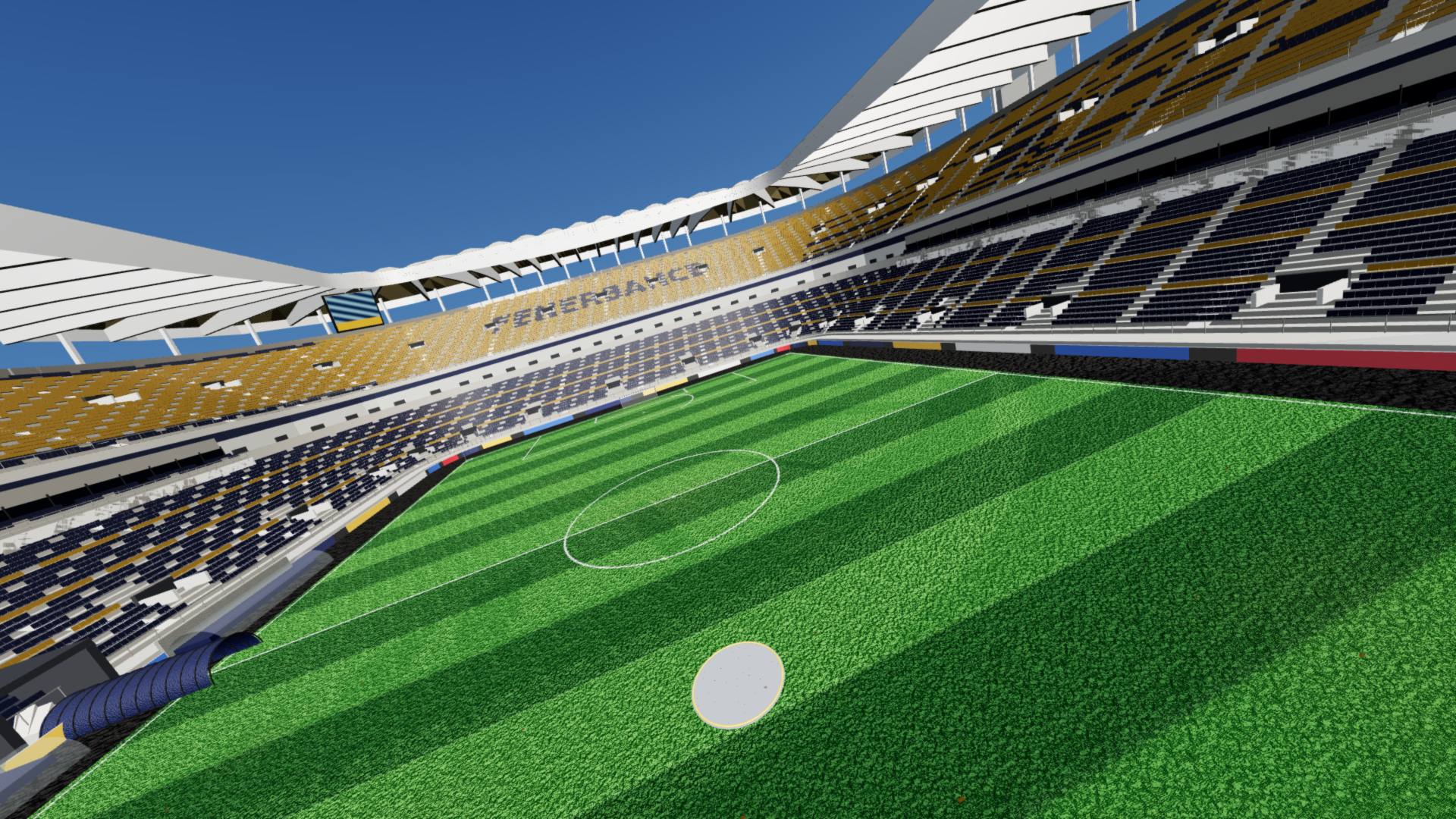
Dive between three tiers of stands, roof trusses and the goal posts. The gaps are true to scale; columns and railings stop you dead. Home of the six-level trainer mode: gate to gate, it teaches straight flight, turns and throttle control.
03 // Hangar
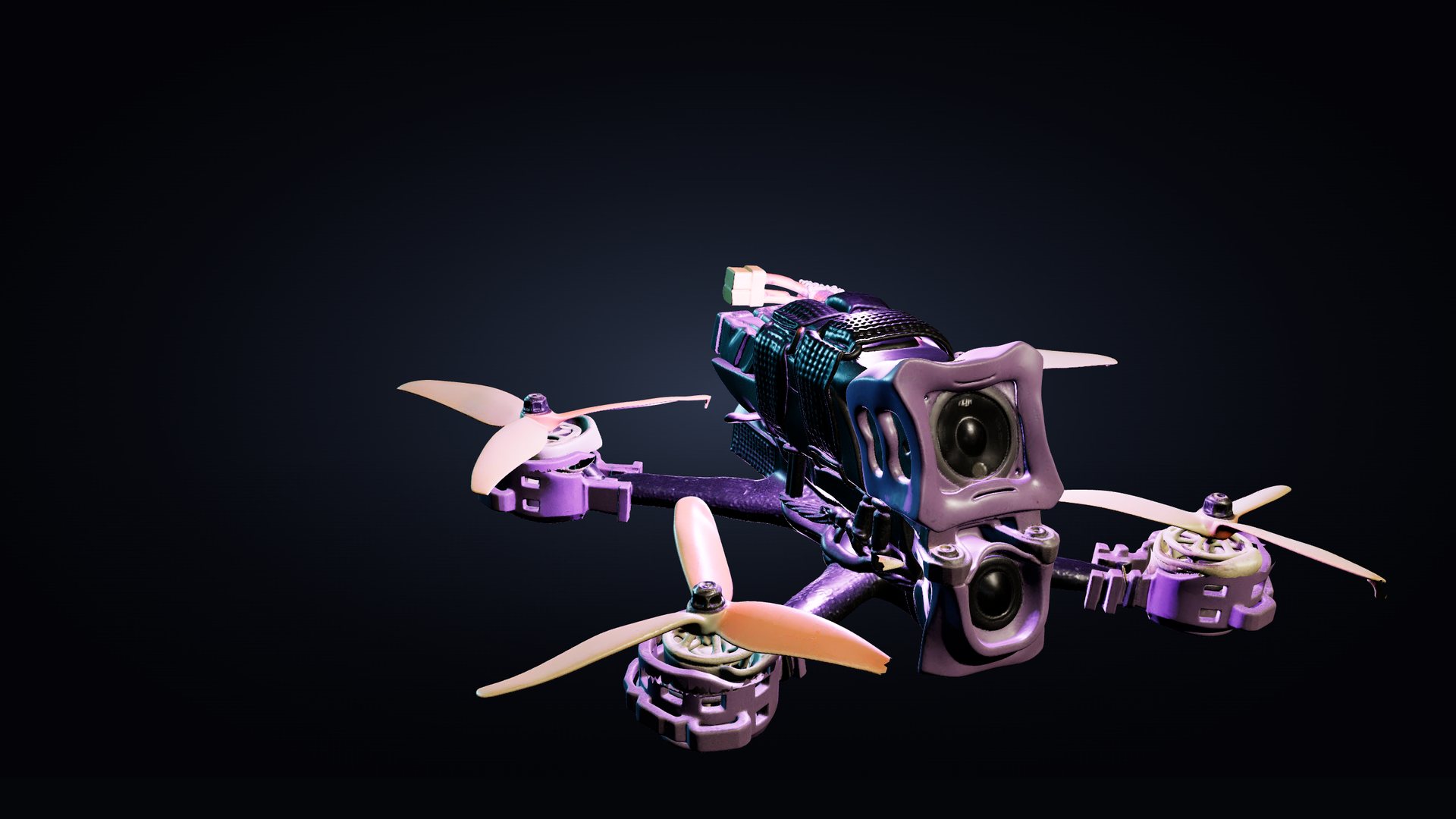
Quadmula F5 S2: a 5" freestyle build made from its real dimensions. Locked in the air, precise around centre — let the sticks go and it stops without a wobble. Spin the game's full-resolution model in the hangar, read the spec sheet, take it out.
Spec sheet // Quadmula F5 S2
04 // Radio
No drivers, no mapping files. Plug the radio in and the setup wizard finds your sticks and switches.
USB cable or Bluetooth. Radiomaster, Jumper, TBS, FrSky — any radio that shows up as a joystick on your computer works.
USB · Bluetooth · Joystick mode
Sweep the sticks into the corners, let them spring back to centre. Endpoints and deadband set themselves; the gimbal preview is live.
Endpoints · deadband · reverse
Roll, pitch, yaw, throttle and the arm switch: move a stick, the channel finds it. Saved to your account — you won't do it twice.
AETR · Mode 2 · arm switch
No radio on the desk? You can fly on the keyboard. Rate profiles go in exactly as they read in Betaflight; camera angle and HUD are yours to set.
05 // Roadmap
Fly the same field as your friends. Open a room, send an invite, put your lap times side by side.
Hover, yaw circles, split-S, power loop: drills one step at a time. From first hover to acro, at your own pace.
Nothing to download. Sign in with Google, plug in your radio or start on the keyboard; your settings and lap times stay on your account.